Google Antigravity Token Economics : How /boost, /swarm & /teamwork Burn Quota & How to Pin Models
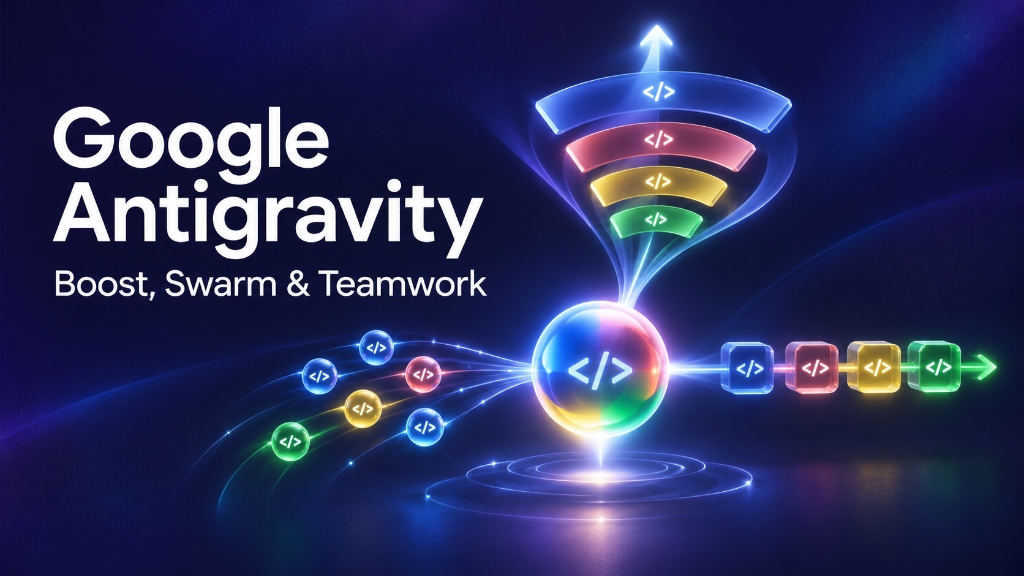
When I first started running multi-agent workflows in Google Antigravity, I was amazed by how quickly parallel AI agents could build features and run test suites. But after two days of heavy experimentation, I hit an unpleasant surprise: my monthly token quota was almost completely drained.
What I didn't understand at the time was that each multi-agent orchestration mode in Antigravity has a radically different token consumption profile. Triggering /boost for a task that needed /swarm, or launching /teamwork for a routine five-minute bug, will burn through your Pro or Ultra tier allocations faster than almost anything else you can do in an IDE.
To see the three orchestration modes in action and understand their core differences in under 70 seconds, watch my quick visual breakdown below:
1. How Each Mode Burns Your Token Quota
Understanding how compute is allocated under the hood prevents unexpected rate limits and keeps your development workflow uninterrupted.
/boost    ──► Deep Reasoning Spikes  ──► Thousands of tokens/min across internal debate loops
/swarm    ──► Parallel Linear Burn   ──► Scales with worker count, drops to ZERO during idle wait
/teamwork ──► Multi-Day Cumulative   ──► Heavy sustained burn across scoping interviews and milestone gates
Subagents ──► Micro-Bursts           ──► Fractions of a cent for isolated tasks
The /boost Token Profile: High-Intensity Reasoning Spikes
When you invoke /boost, Antigravity triggers an intensive internal deliberation loop. Multiple agents generate competing hypotheses, write minimal test scripts to reproduce the bug, and iteratively test potential patches.
Because /boost is designed for deep, stubborn logic bugs rather than wide codebases, it burns thousands of reasoning tokens every minute. If you run /boost on routine file refactors or scaffolding, you are paying frontier reasoning costs for basic typing work.
The /swarm Token Profile: Scalable with Zero-Token Sleep
In /swarm, token burn scales with the number of parallel workers you spin up. However, Swarm has a major built-in advantage: zero-token idle sleep.
Unlike naive multi-agent loops that poll continuously in background processes, Antigravity Swarm workers put themselves to sleep the moment they finish their assigned slice. A sleeping worker consumes zero tokens until the coordinator or a peer worker tags them with an @mention on the shared message board.
The /teamwork Token Profile: High Cumulative Multi-Day Investment
/teamwork is Google's most autonomous capability. It begins with an interactive scoping interview led by a Sentinel Agent, establishes a binding technical specification, and coordinates multiple specialized agents (architects, implementers, auditors) across days. Because of this persistent state management and multi-phase auditing, /teamwork produces the largest total token footprint and is reserved for Google AI Ultra plan holders.
2. The Model Pinning Fix: Cut Swarm Costs by Over 60%
The single most effective way to protect your monthly quota in Google Antigravity Swarm is Model Pinning.
By default, many developers leave every swarm worker running on Google's heaviest, most expensive foundation model. That is a massive waste of resources. Antigravity allows you to pin specific models to specific worker roles:
┌─────────────────────────────────────────────────────────────────────────────┐
│ High-Efficiency Swarm Model Assignment Strategy                             │
├─────────────────────────────────────────────────────────────────────────────┤
│ • Coordinator:  Pinned to Gemini 3.8 Flash (High speed, low cost routing)   │
│ • Worker 1:     Pinned to Gemini 3.8 Flash (Routine file formatting)        │
│ • Worker 2:     Pinned to Gemini 3.8 Flash (Standard CRUD unit tests)       │
│ • Verifier:     Pinned to Gemini 4 Carbon (Senior adversarial code audit)   │
└─────────────────────────────────────────────────────────────────────────────┘
In this setup, your coordinator and task workers run on fast, cost-effective models like Gemini 3.8 Flash. They handle routine code edits, file scanning, and initial draft tests without burning heavy reasoning budgets.
You reserve your top-tier model—such as Gemini 4 Carbon—exclusively for the Adversarial Verifier. The verifier audits the resulting pull request or code diff with frontier-level rigor before anything merges into your working copy. You get senior-developer output quality at a fraction of the standard token cost.
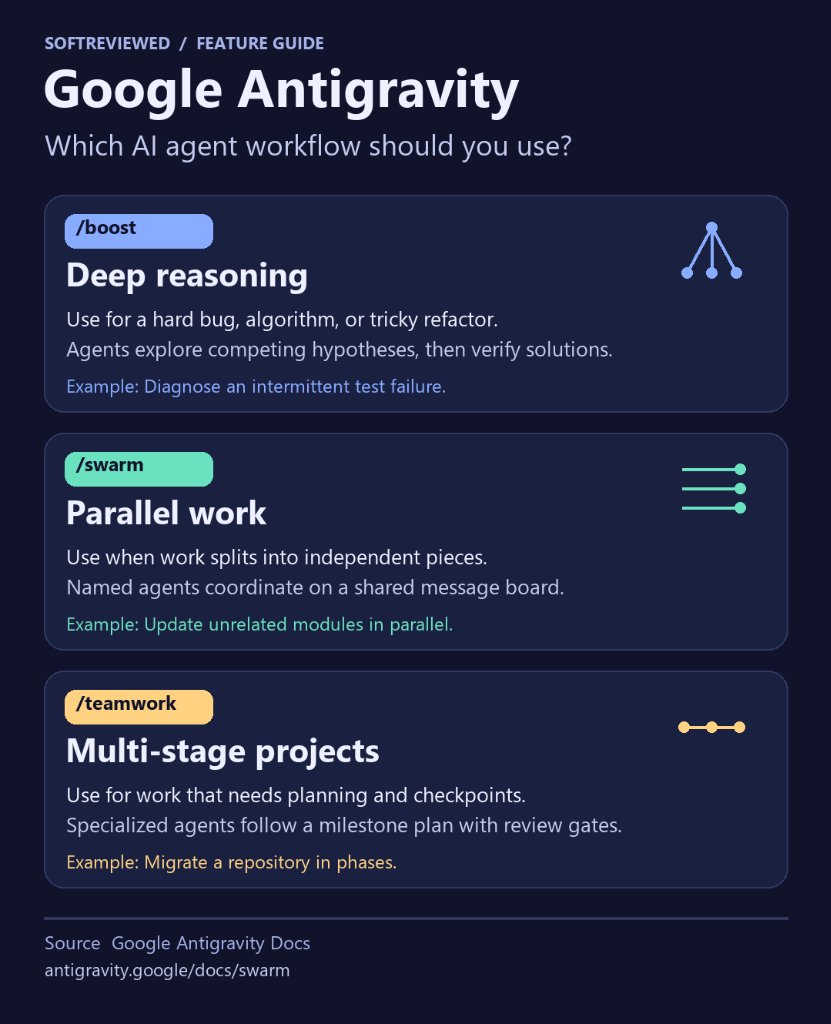
Decision guide: Choosing between Subagents, /boost, /swarm, and /teamwork in Google Antigravity.
3. Cost & Resource Comparison Overview
To help you match your project budget with the right engine, here is how the four execution options stack up financially and operationally:
| Feature / Metric | Subagents | /boost |
/swarm |
/teamwork |
|---|---|---|---|---|
| Token Cost Profile | Minimal | High per minute | Moderate (sleeps when idle) | High cumulative over days |
| Time Horizon | Seconds | Seconds to Hours | Minutes to Hours | Hours to Days |
| Model Flexibility | Inherits parent | Fixed reasoning models | Model pinning per worker | Multi-model tier assignments |
| Concurrency Style | Single request | Sequential deliberation | Parallel Git worktrees | Multi-agent milestone squad |
| Subscription Tier | All Tiers | Google AI Pro & Ultra | Google AI Pro & Ultra | Google AI Ultra |
4. 3 Rules to Keep Your Quota Intact
Whenever you open the terminal in Google Antigravity, follow these three rules before launching a task:
- Never use
/boostfor wide tasks: If a job touches 20 different files but the logic is straightforward, use/swarmwith pinned lightweight models, not/boost. - Always include a verifier in
/swarm: Spinning up workers without an adversarial verifier leads to repeated, hallucinated revisions that waste tokens. One good verifier catches mistakes on the first pass. - Save
/teamworkfor true multi-day projects: Do not trigger/teamworkfor tasks that can be finished in an afternoon. The scoping interview and milestone review gates are meant to keep massive architectural migrations on track.
For the full technical breakdown, architectural teardown, and step-by-step setup guides, read my comprehensive Google Antigravity Boost vs Swarm vs Teamwork review and comparison guide on SoftReviewed.


Comments
Post a Comment