Run Free Local AI Model on Android Phone Offline
Run Free Local AI Model on Android Phone Offline
Discover how to run a powerful Local AI Model like Gemma on your Android phone completely offline using Google AI Edge and the AI Edge Gallery app. This guide covers everything from setting up the app to exploring its exciting features.
What is Google AI Edge?
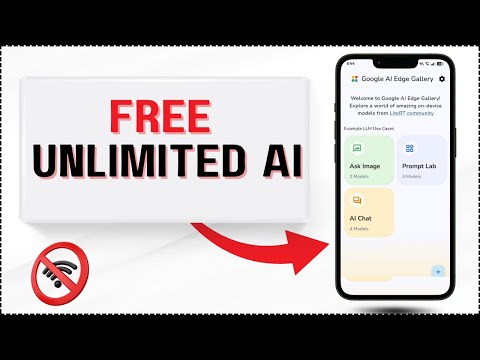
Google AI Edge is a platform that enables you to run language models like Gemma directly on your device without an internet connection. This means you can enjoy features like AI chat, image analysis, and content generation while keeping your data private.
Key Benefits of On-Device AI
- Enhanced data privacy as your information is not sent to the cloud
- Super-fast responses since processing happens on your device's CPU
- Accessibility to AI features even without an internet connection
Setting Up AI Edge Gallery App
To get started, you'll need to download the AI Edge Gallery app from GitHub. Here’s a step-by-step guide:
- Find and download the AI Edge Gallery app on GitHub
- Choose and download your preferred AI model (e.g., Gemma's 2B or 4B parameter versions)
- Set up your Hugging Face account for model access
RAM Requirements for Different Models
The Gemma model comes in different sizes: 2 billion and 4 billion parameters. Understand the RAM requirements for each to ensure smooth performance on your device.
Exploring AI Edge Gallery Features
The app offers several exciting features, including:
- Ask Image: Analyze images from your camera using offline vision AI
- AI Chat: Engage in direct conversations with your local LLM
- Prompt Lab: Rewrite text, summarize content, and generate code snippets
For a detailed walkthrough of these features and their benefits, watch the full video on YouTube 🚀👍.
For more insights on running Local AI Models on your Android device and exploring the capabilities of Google AI Edge, make sure to watch our video on YouTube.


Comments
Post a Comment